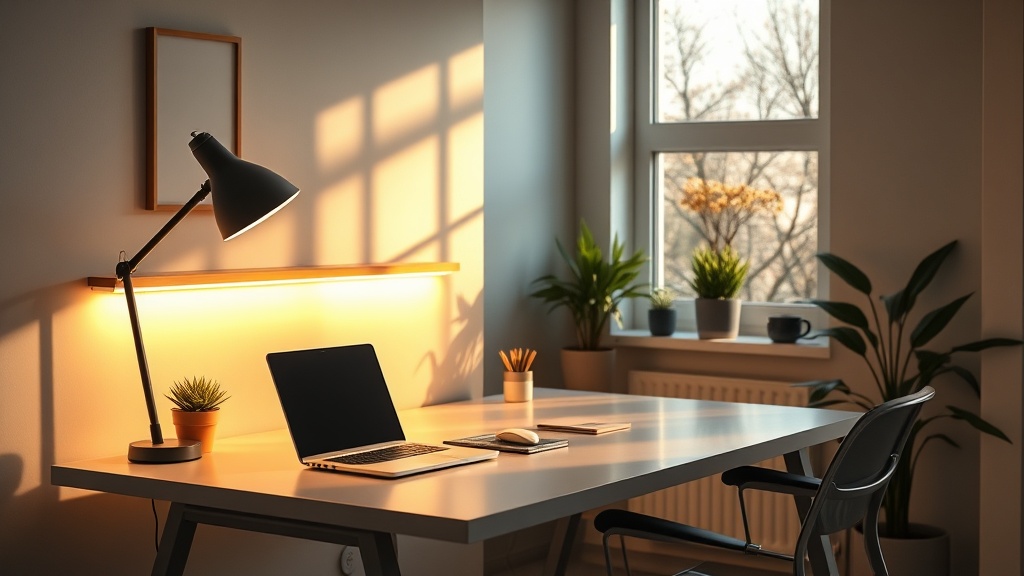
Smart Lighting Hacks for a Productive Home Office This Spring

Hook
Ever feel like the clock jumped forward and your brain hit the snooze button? That jarring hour‑loss is a real productivity killer, especially when you spend most of your day staring at a screen in a dim room.
Context
Daylight Saving Time shoves the sun an hour earlier, throwing off our circadian rhythm. The good news? A few smart‑lighting tweaks can re‑sync your body clock, save energy, and make your home office feel like a sunrise‑powered productivity hub.
What smart lighting options work best for a home office?
If you’re buying from scratch, look for tunable LED strips or smart bulbs that let you dial in color temperature (measured in Kelvin). The sweet spot for focus is 4,000‑5,000 K – that crisp, “daylight” hue that mimics late‑morning sun. Brands like Philips Hue, LIFX, and Nanoleaf all support schedules via their apps, and most integrate with Alexa, Google Assistant, or HomeKit for voice‑controlled dimming.
Real talk: I tried a cheap 2,700 K bulb for a week and felt my brain fog creep in by noon. Switching to a 4,500 K strip turned the fog into focus.
Why it matters: Light at the right temperature tells your brain “it’s time to work,” while warm amber light signals wind‑down. Getting this right after the DST shift can shave minutes off that morning sluggishness.
How can I install tunable LED strips myself?
- Measure & plan – Map the perimeter of your desk or the wall behind it. Most 5‑meter strips cover a typical 48‑inch desk twice over.
- Choose a power source – If you have a spare USB‑C outlet, opt for a USB‑powered strip; otherwise, a standard 120 V plug works with a simple adapter.
- Peel, stick, and snap – The adhesive backing sticks to clean, dry surfaces. Snap the strip into the controller, then plug it in.
- Connect to Wi‑Fi – Open the manufacturer’s app, follow the QR‑code setup, and name the strip “Home‑Office‑Spring.”
- Create a schedule – Set the strip to ramp up to 4,500 K at 7 AM, stay bright until 2 PM, then dim to 3,500 K for the late‑afternoon slump.
Pro tip: Run a short “sunrise” animation for the first 10 minutes after you log on. It tricks your brain into a gentle wake‑up, similar to natural dawn.
What schedule should I set to match the new daylight hours?
Daylight Saving moves sunrise from, say, 7:00 AM to 6:00 AM. Your lighting schedule should mirror that shift:
| Time (Local) | Color Temp (K) | Brightness |
|---|---|---|
| 6:30 AM – 8:00 AM | 4,500 K | 80 % |
| 8:00 AM – 2:00 PM | 4,500 K | 100 % |
| 2:00 PM – 5:00 PM | 3,500 K | 70 % |
| 5:00 PM – 9:00 PM | 2,700 K | 40 % |
| 9:00 PM onward | 2,200 K (warm amber) | 20 % |
If you’re on a budget, the Philips Hue White Ambiance bulbs let you set these scenes with a single tap in the Hue app. For a DIY vibe, the Govee Wi‑Fi LED strip offers a free schedule‑builder on its web portal.
Which budget‑friendly bulbs give me daylight‑like quality?
| Brand | Model | Color Temp Range | Approx. Price (USD) |
|---|---|---|---|
| Govee | Wi‑Fi LED Strip | 2,700‑6,500 K | $25 for 5 m |
| Wyze | Smart Bulb | 2,700‑5,500 K | $12 each |
| TP‑Link Kasa | Smart LED Bulb | 2,700‑5,500 K | $15 each |
| Sengled | Smart LED | 2,700‑5,000 K | $13 each |
All of these are Energy Star‑certified, meaning they meet strict efficiency standards while delivering the daylight spectrum you need.
How do I maintain energy efficiency while boosting productivity?
- Use motion sensors – Pair a strip with a PIR sensor so it dims or turns off when you’re not at the desk.
- Leverage daylight sensors – Some smart hubs can read ambient light and automatically lower artificial brightness when the sun’s in.
- Turn off “always‑on” modes – Even the brightest bulb draws power; a simple schedule that powers down at night can shave 5‑10 kWh per year.
Quick math: If a 10‑W LED runs 12 hours a day, that’s 0.12 kWh per day. Over a year, that’s ~44 kWh — roughly $5 at today’s average electricity rate. Small savings add up, especially when you’re already cutting waste elsewhere.
Takeaway
Daylight Saving doesn’t have to be a productivity nightmare. By swapping to tunable smart lighting, setting a DST‑aligned schedule, and picking budget‑friendly, energy‑star bulbs, you’ll reclaim focus, save a few bucks, and keep your circadian clock humming. Take action today: install a strip, set the sunrise scene, and watch your workday light up—literally.
{
  "meta": {
    "faqs": [
      {"question": "What color temperature is best for focus in a home office?", "answer": "Aim for 4,000‑5,000 K, the cool daylight range that signals alertness to your brain."},
      {"question": "Can I install smart LED strips without an electrician?", "answer": "Yes – most strips are plug‑and‑play with adhesive backs; just follow the manufacturer’s app setup."},
      {"question": "How can I keep smart lighting energy‑efficient?", "answer": "Use motion or daylight sensors, schedule automatic dimming, and choose Energy Star‑certified bulbs."}
    ]
  }
}